AI Superagent: the first agentic AI assistant for CAM
Drive ENCY through chat. Describe the part — AI Superagent recognises features, picks tools, builds operations, simulates, and writes the G-code. You stay in the loop: set the goal, guide the process, evaluate the result.
Simply packed with innovation, beauty, and power — now enhanced with AI.
One assistant. Ten workflows.
Every CAM task in ENCY has a single command. Type / or click a Quick Action.
/yolo
From model to G-code, fully automatic.
/setup
Machine, material, geometry — no operations yet.
/feature
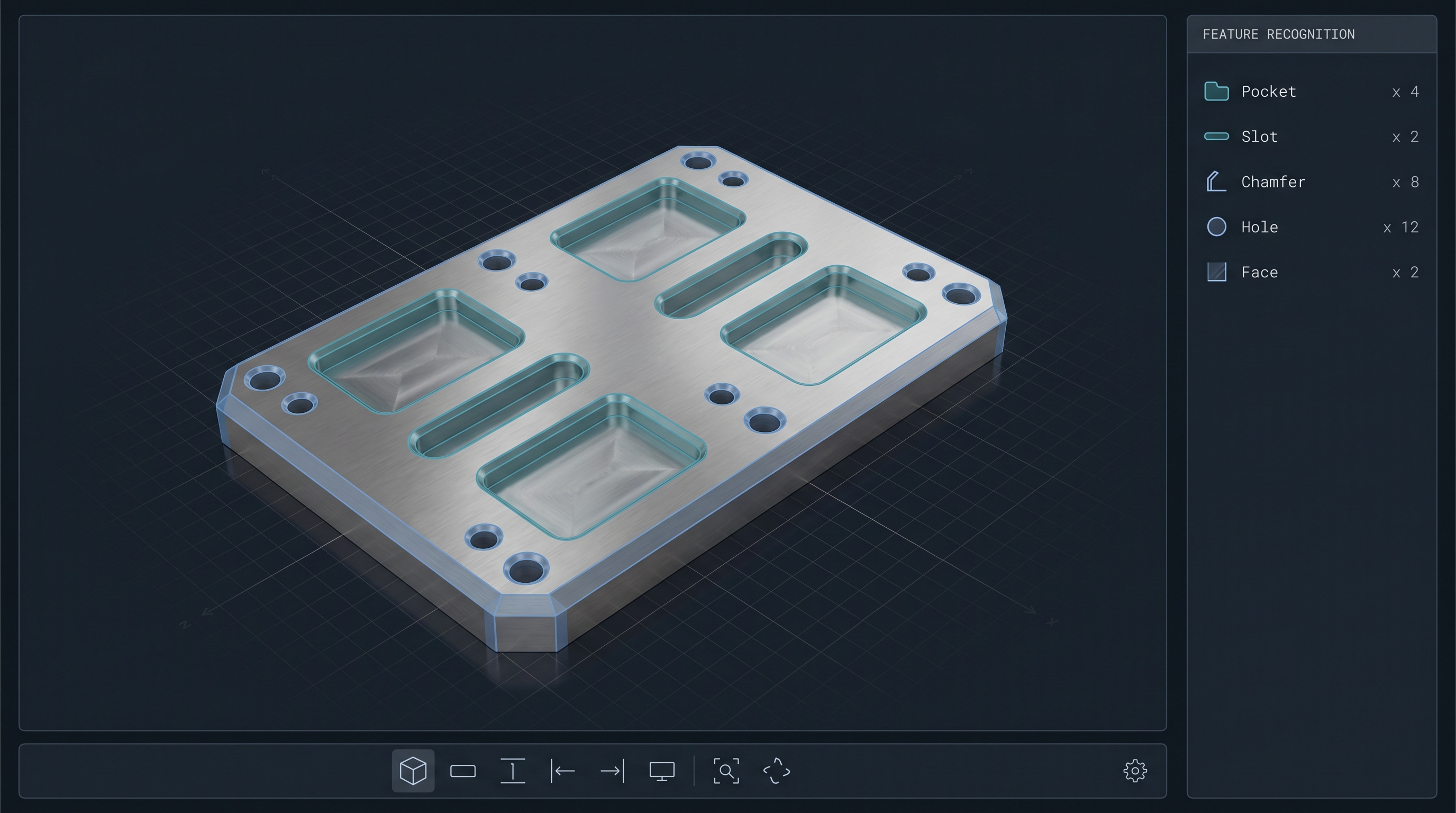
48-class feature recognition in the built-in 3D viewer.
/wizard
Operations, simulation, and G-code, guided step by step.
/feeds
Feeds & speeds, tuned to the material and tool.
/tools
Assemble tool sets from your libraries.
/cost
Cycle time and machining-cost estimates.
/scan
Review project state — what's done, what's missing.
/check
Verify collisions, gouges, and configuration.
/tutorial
Learn the CAM workflow without leaving the chat.
From a prompt to a G-code program.
AI Superagent can connect to a new project or pick up an existing one — and run end to end.
-
01
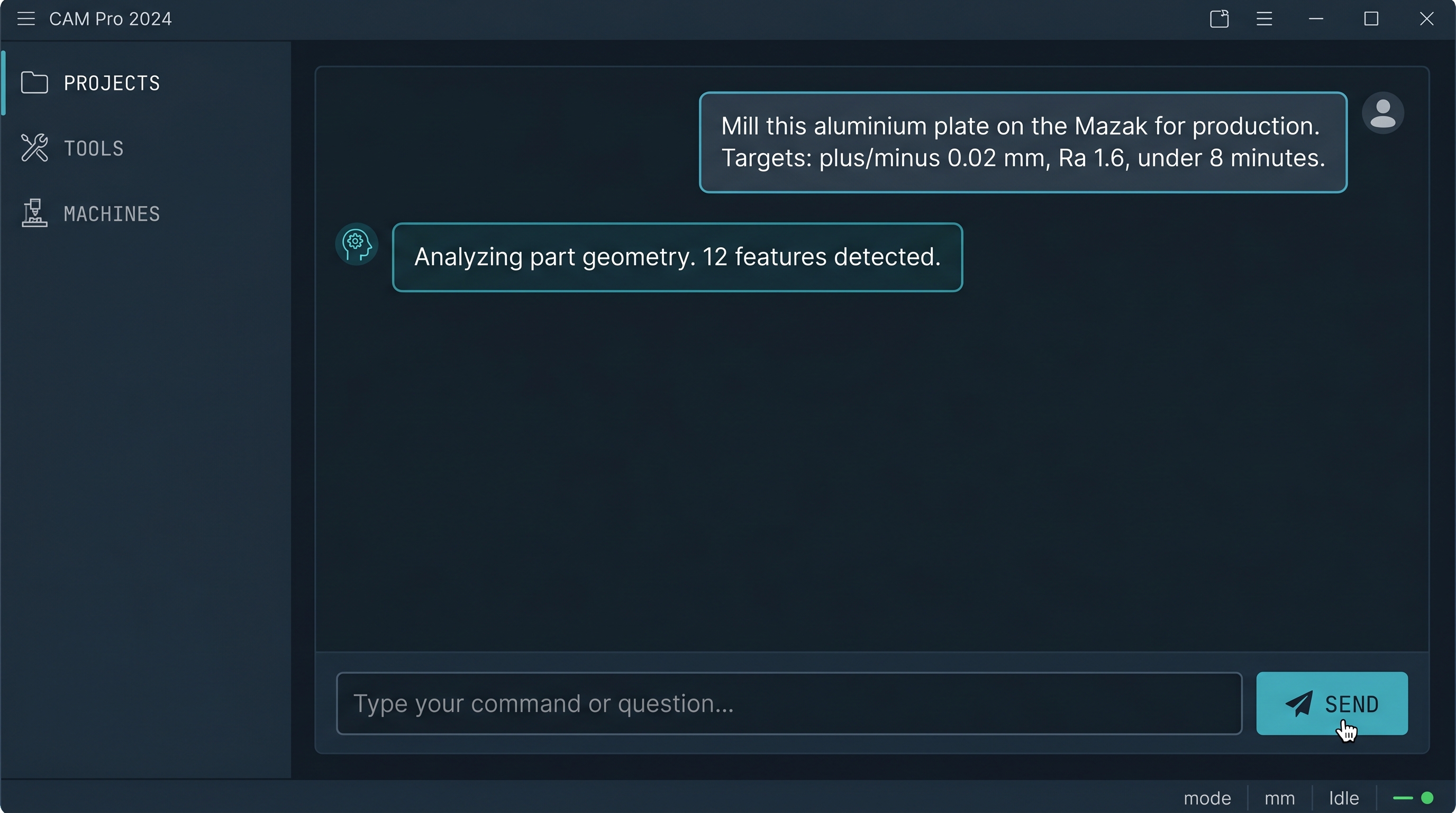
Describe the job
"Mill this aluminium plate on the Mazak for production. Targets: ±0.02 mm, Ra 1.6, under 8 minutes."
-
02
Recognise the part
The built-in 3D viewer classifies every face into one of 48 machining feature types — pockets, slots, chamfers, gears, grooves.
-
03
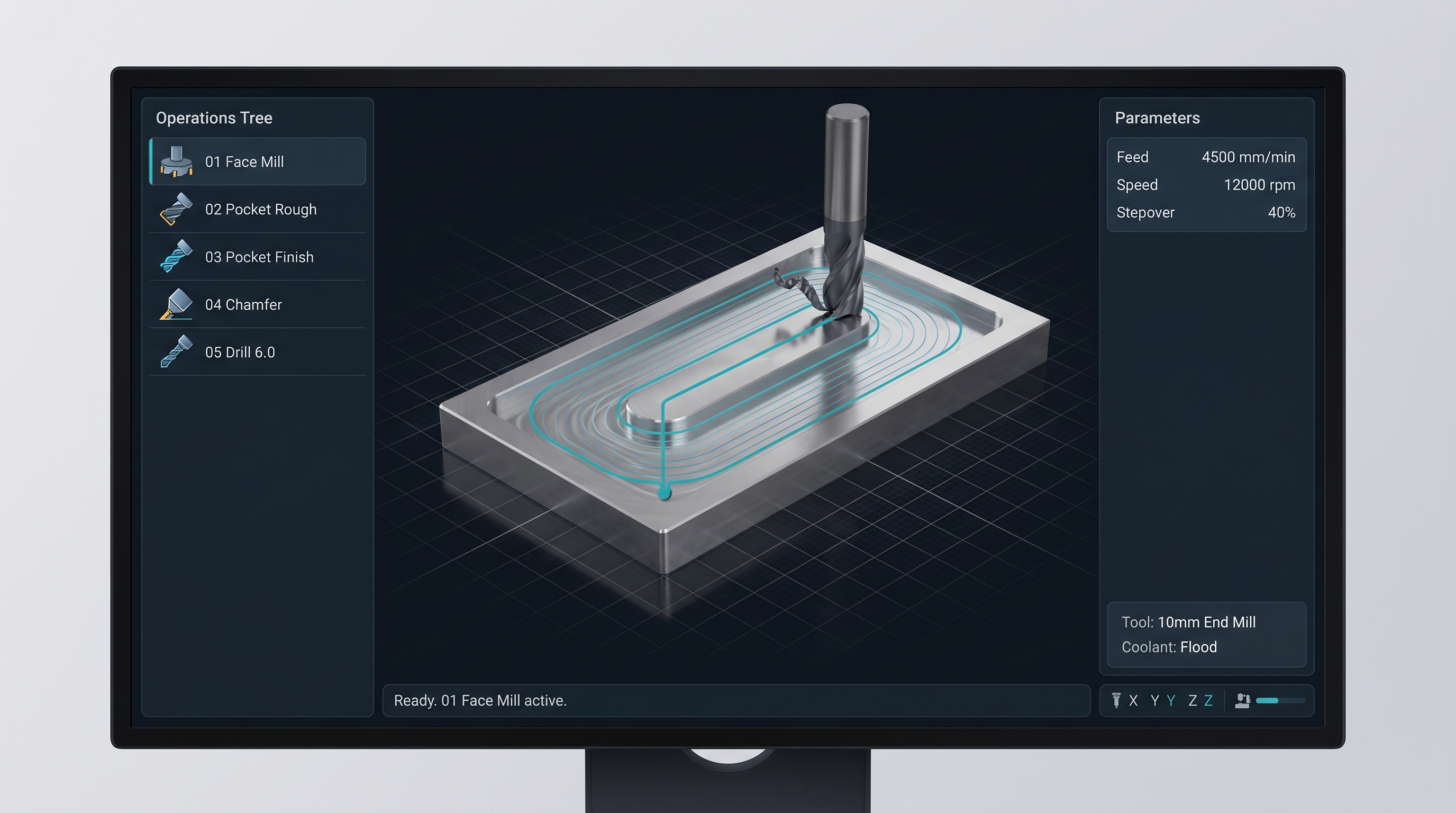
Build operations
The agent selects tools from your libraries, lays out operations, sets feeds & speeds, runs simulation, flags collisions.
-
04
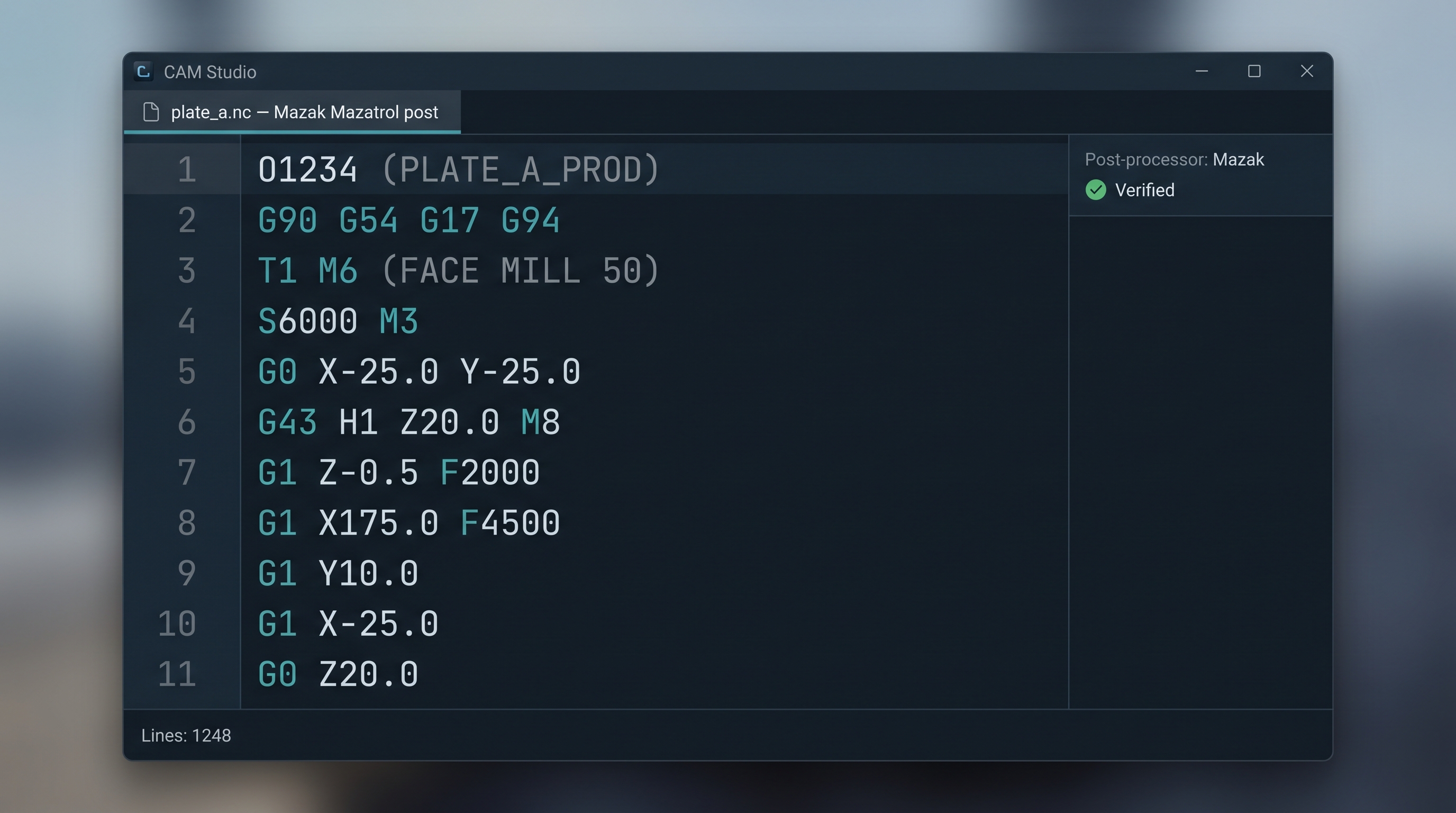
Generate the G-code
Output verified against your post-processor. You review, refine, and accept — or step in at any earlier point.
"AI Superagent is a new model of collaboration between AI and a CAM programmer, where AI takes on more and more of the execution, while the human sets the goal, guides the process, and evaluates the result."
— Andrei Kharatsidi, CEO, ENCY Software
What makes it agentic, not just chat.
Three things you can't get from a generic AI or a docs chatbot.
Generic AI
- Knows about machining in the abstract.
- Can't open your model.
- No awareness of your machine, tools, or post-processor.
- Talks. Doesn't do.
In-app copilot
- Grounded in product docs.
- Answers questions and runs basic commands.
- Tied to one vendor's AI provider.
- Helps you operate the software faster.
AI Superagent
- Agentic — runs the full workflow, from STEP to G-code.
- Machine-aware — proposals constrained by the actual machine kinematics and tool libraries.
- Powered by ENCY GPT — included with your subscription. No API keys, no third-party data sharing.
- 101 MCP tools — the largest tool surface in CAM AI.
Powered by ENCY GPT.
AI Superagent runs on ENCY's own model gateway — included with your subscription. No API keys to manage, no third-party data sharing. Your prompts and project data stay inside the ENCY environment.
Part of the ENCY X ecosystem.
AI Superagent is built on the proprietary, technologically independent ENCY X platform. It speaks directly to ENCY CAM, ENCY Robot, ENCY Tuner, MachineMaker, and ENCY Clouds — no third-party glue.
Learn more about ENCY X →Learn ENCY like a pro.
Step-by-step courses on every ENCY workflow — now with AI Superagent prompts and examples.
Get AI Superagent.
Open beta on Windows 10+. Free during the beta period. The download link will be emailed to you as soon as we confirm your details.
- Single .exe — no installation required.
- Works with your existing ENCY 2 install.
- Auto-updates as new beta builds ship.